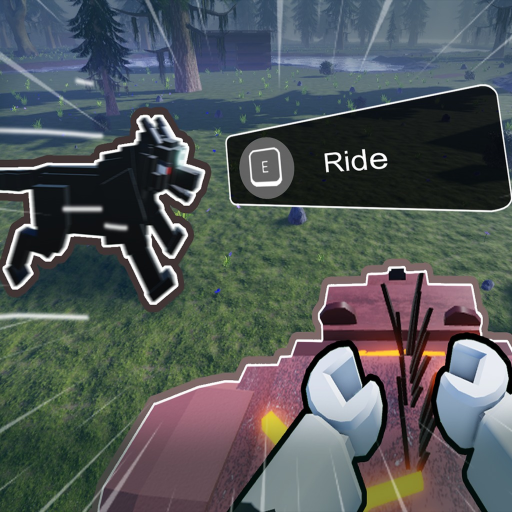
Taming Defense Controls
Official keybinds for movement, pets, building, and combat — plus tips for PC players.

Memorizing controls early saves real in-game days in Taming Defense. BaseBuddies maps movement, inventory, pet squads, building, and combat across keyboard keys that overlap by context — 1–6 selects pet slots and hotbar items depending on mode, while R rotates structures or toggles aim. Confusion during your first Lich night on Day 20 costs walls; confusion every night after that ends 365-day runs.
This page lists the official control scheme from the game’s documentation. Print or pin the Controls Cheatsheet on a second screen while learning. Pair with How to Play for when to use each bind, How to Tame for pet depth, and Base Building for placement practice.
General controls
These keys apply everywhere in the world:
| Key | Action |
|---|---|
| Ctrl | Run |
| B | Open inventory |
| G | Open pet menu |
| X | Swap hotbar (also toggles snap in build mode) |
| F | Interact |
| M1 | Use / Attack (context-sensitive) |
| R | Aim / Rotate build piece |
| Shift | Shift lock camera |
Ctrl run closes distance during kiting — critical when The Lich breaks through gates. B inventory holds materials, food, tame bait, and repair kits; organize stacks before sunset so you are not scrolling mid-raid.
F interact opens gates, starts tames, talks to NPCs, and triggers world objects. Shift shift lock keeps camera fixed while strafing — many players enable it permanently for combat.
Pet commands
Pet orders are the highest-leverage binds after movement. Full strategies live on Pet Commands.
| Key | Command |
|---|---|
| V | Select All pets |
| Q | Follow |
| T | Attack |
| U | Guard |
| Z | Stay |
| 1–6 | Pet slot / Pet skill |
Open G first to verify slot assignments. U Guard at choke points from Base Building stops raiders; T Attack focuses The Lich when it enters range. V Select All rallies a retreat to your inner fallback room when outer walls collapse.
1–6 double as individual pet selects and skill triggers — press the slot key to micro-manage one tame without reissuing group orders.
Building controls
When placing structures from your hotbar:
| Key | Action |
|---|---|
| M1 | Place piece |
| R | Rotate before placing |
| X | Toggle snap |
X snap aligns segments to grid; disable briefly for terrain fixes, then re-enable for straight wall runs. R rotate before M1 place — correcting rotation after placement often costs extra materials.
Swap to building materials using X hotbar swap in general mode, then enter placement. Practice a five-segment wall on Day 1 so muscle memory exists before Day 19 prep.
Combat controls
Combat overlaps general and pet keys:
| Key | Action |
|---|---|
| M1 | Attack |
| R | Aim mode |
| Shift | Shift lock camera |
| 1–6 | Use item / Change slot |
R aim mode improves ranged accuracy against flying or fast targets. 1–6 cycles weapons, healing, explosives, or repair tools — pre-bind consumables before The Lich nights so you never hunt inventory under pressure.
Combine Shift lock with Ctrl run to circle-strafe while pets hold U on the gate line.
Recommended learning order
Session 1 — Ctrl, B, F, M1, movement.
Session 2 — G, Q, U, T, 1–6 pet slots. Tame one pet via How to Tame.
Session 3 — M1 place, R rotate, X snap. Build a closed box from Base Building.
Session 4 — Shift lock, R aim, combat hotbar. Run a test night before Day 20.
Mobile and controller layouts differ; this page reflects the PC keyboard scheme from official docs. Roblox mobile uses on-screen buttons mapped to the same actions where supported.
Quick drill for muscle memory
Run this five-minute drill in a private server before Day 10:
- Sprint with Ctrl from your gate to a tree and back without opening inventory.
- Open B, move one stack, close, and re-open under three seconds.
- Issue Q, then U, then T on a pet within two seconds each.
- Place four wall segments using R rotate and X snap without misalignment.
- Toggle Shift lock, attack a dummy or weak mob with M1, and swap hotbar with X.
Repeat until no key feels unfamiliar. Players who complete this drill report fewer panic deaths during the first Lich night because repair and pet re-orders happen on reflex.
Controls and other systems
Redeem codes with menu UI, not hotkeys — visit How to Redeem for steps. Scripts may remap keys on some clients; wiki guides assume default binds.
After patches, verify binds in Updates Hub — BaseBuddies occasionally adds pet skills or building pieces that use 1–6 slots.
Related pages
- Controls Cheatsheet — printable quick reference
- How to Play — when to use each control
- Pet Commands — advanced pet orders
- Base Building — placement practice
- Survive The Lich — combat under pressure
- Guides Hub — all walkthroughs
Frequently Asked Questions
Quick answers to the most common questions.
How do I open inventory in Taming Defense?
Press B to open your inventory. Stock repair kits, food, and tame items before nightfall so you are not searching mid-raid.
What key makes pets guard a wall?
Press U to issue Guard. Position pets at choke points from the base building guide before sunset each day.
How do I rotate building pieces in Taming Defense?
Press R to rotate before placing with M1. Use X to toggle snap alignment for clean wall segments.
What does Shift do in Taming Defense?
Shift enables shift lock camera, which helps you strafe and track enemies like The Lich during combat.
Where is the printable controls reference?
Open the Controls Cheatsheet on the Tools hub for a compact list of every key covered on this page.