Taming Defense Controls Cheatsheet
Every default key at a glance—plus an interactive reference you can filter on this page.
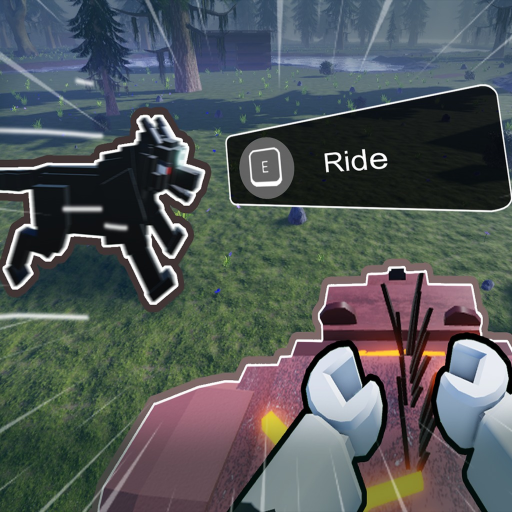
Controls Cheatsheet
Quick reference for movement, pets, building, and combat.
Movement & UI
| Key | Action |
|---|---|
| Ctrl | Run |
| B | Open Inventory |
| G | Open Pet Menu |
| X | Swap Hotbar |
| F | Interact |
| Shift | Shift Lock |
Pet Commands
| Key | Action |
|---|---|
| V | Select All Pets |
| Q | Follow |
| T | Attack |
| U | Guard |
| Z | Stay |
| 1–6 | Select Pet Slot / Skill |
Building
| Key | Action |
|---|---|
| M1 | Place Building |
| R | Rotate |
| X | Toggle Snap |
Combat
| Key | Action |
|---|---|
| M1 | Attack / Use |
| R | Aim Mode |
| Shift | Lock Camera |
| 1–6 | Use Item / Change Slot |
Use this page when you need every Taming Defense control in one place. BaseBuddies lists these bindings on the official Roblox game page; we mirror them here as a printable table and as an interactive cheatsheet rendered on this page (tap a category chip to highlight Movement, Inventory, Pets, Build, or Combat rows). For strategy around nights, pets, and economy, read the full Controls guide and Pet Commands breakdown.
Core controls
These keys apply throughout daylight gathering, base construction, and Lich nights after Day 20.
| Action | Key |
|---|---|
| Run | Ctrl |
| Inventory | B |
| Pet Menu | G |
| Swap Hotbar | X |
| Interact | F |
| Attack / Use | M1 (left mouse) |
| Aim / Rotate | R |
| Shift Lock | Shift |
Pet command keys
Assign pets to hotbar slots, then issue orders quickly during waves. Detailed behavior per command lives on Pet Commands.
| Action | Key |
|---|---|
| Pet command slot 1 | V |
| Pet command slot 2 | Q |
| Pet command slot 3 | T |
| Pet command slot 4 | U |
| Pet command slot 5 | Z |
| Hotbar slots 1–6 | 1, 2, 3, 4, 5, 6 |
Build mode
Wall placement and structure rotation share inputs with combat aim—practice in a safe daylight window.
| Action | Key |
|---|---|
| Place / confirm | M1 |
| Rotate | R |
| Swap piece / cancel | X |
Combat
Night fights against The Lich and roaming threats use the same combat row on the official page.
| Action | Key |
|---|---|
| Attack | M1 |
| Aim / rotate | R |
| Shift lock | Shift |
| Ability / hotbar 1–6 | 1, 2, 3, 4, 5, 6 |
Interactive cheatsheet on this page
Below the article body, the wiki renders a clickable cheatsheet widget: select a category to dim unrelated rows, search by action name, and copy a plain-text summary for Discord or notes. It uses the same data as the tables above, so updates to official bindings only need one source change. If a patch renames an action, check Update 1 and refresh this page after npm run sync on the wiki side.
Recommended learning order
New players should run through bindings in this sequence during the tutorial day:
- Movement and interaction — Ctrl sprint, F interact with chests and workstations, B inventory to stash Gold and Ruby.
- Hotbar — X swap, 1–6 use items and pet slots; tie this to How to Play.
- Pet menu — G opens management; V/Q/T/U/Z fire commands you configured on Pet Commands.
- Build — M1 place, R rotate, X swap blueprint before your first wall segment.
- Combat — Shift lock for camera stability, M1/R chain during a small mob pack before Day 20.
Night survival reminders
After Day 20, The Lich hunts nightly. Keep fingers on Shift lock and hotbar 1–6—you cannot afford to open full menus mid-chase. Pre-bind healing or trap items to lower number keys and reserve letter keys for pet peel or taunt commands. If you co-op with friends, call out when you are aiming with R so rotations do not cancel.
Cross-links
- Controls guide — when to sprint, build, or fight during each phase of the day.
- Pet Commands — what each pet order does in combat and gathering.
- Tools Hub — other quick references as they ship.
- Codes — redeem !THANK2500KLIKE and like-milestone rewards.
- Wiki Overview — 365-day win condition, currencies, and Lich schedule.
Controller and mobile notes
This cheatsheet documents PC keyboard and mouse defaults from the Roblox game page. Console and mobile layouts differ; Roblox translates many actions to on-screen buttons. If you play on tablet or phone, still read Pet Commands because pet logic is identical even when the binding labels change.
Frequently Asked Questions
Quick answers to the most common questions.
Where do these controls come from?
They are taken from the official Taming Defense Roblox game page control list published by BaseBuddies. We update this cheatsheet when the devs change bindings.
How does the interactive cheatsheet work?
On this page, category filters highlight relevant rows in the table widget. Use it mid-session on a phone browser without scrolling the full article.
What is the difference between X and number hotbar keys?
X swaps which hotbar set is active. Keys 1–6 use the item or pet ability in that slot. See /guides/controls/ for loadout timing tips.
Which keys matter most after Day 20?
Shift lock, M1, R, and hotbar 1–6 for combat, plus V/Q/T/U/Z for pet peel. Pre-configure pets on /players/pet-commands/ before nightfall.
Does Ctrl run drain stamina?
Sprint behavior can change in patches. Treat Ctrl as your reposition key during Lich nights and verify in-game after each update on /updates/.